
Login to your customer account at https://store.taxprowebsites.com. Click on Business Mail, Accounts.
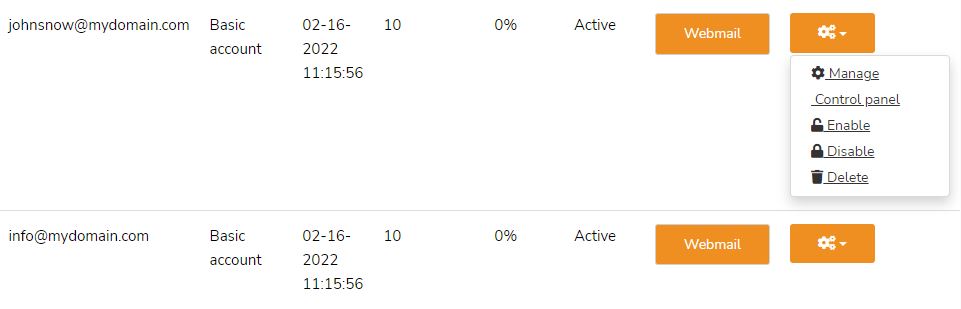
Next to each mailbox, you will see a settings button (gear icon) with the following options to manage the box:
Manage: This allows you to change the mailbox password or size of mailbox.
Control Panel: This gives access to features for that user (Spam Controls, Vacation Messages, your Backup Archive). The user may also access this in their webmail. This is most helpful for tracking emails sent by that user, checking for spam, etc.
You can Enable, Disable and Delete accounts from this menu as well.
Webmail (Button)
Click to access that user's webmail. This is specific to administrators… the owner of the main customer account. For staff, see How do my staff log in to the web-based email?